




 Practice Fusion
 AthenaHealth
 AdvancedMD
Patient Forms that integrate with  eClinicalWorks
Patients complete intake on their phone. Your front desk reviews what is about to change and clicks Import. The answers land in the eClinicalWorks chart, right down to the preferred pharmacy. Nobody retypes anything.
How it works
Scanning a completed form takes a minute. Typing its contents into eClinicalWorks field by field is what eats the morning.
Send from the chart
Send it by text or email, add it to a reminder, put it on your website, or hand out a tablet. It opens in a browser with no app and no login.
Answers map to chart fields
Each response is tied to the eClinicalWorks field it belongs in, so what comes back is structured data rather than a page of prose.
Import to eClinicalWorks
Staff review the proposed changes and import them. Attachments file to the chart with the correct document type already set.
What practices say

DashQuill has streamlined our front-desk intake with an intuitive, all-in-one platform that keeps our team from bouncing between cumbersome technology stacks. Their team is consistently responsive and supportive and the dedicated domains make external sharing of forms simple and professional.

DashQuill came through for us when we desperately needed help. Across our 70+ providers, their AI system sorts up to 120,000 faxes a month, turning what used to be a huge burden on our staff into something fast and reliable.

Partnering with DashQuill has been a game-changer for our practice. Their seamless integration into our EHR system brought immediate improvements in workflow efficiency, reducing administrative burden and allowing our team to focus more on patient care.

I've been using DashQuill's HIPAA-compliant forms with my EHR, Practice Fusion, and I'm very happy with them. The forms are easy for patients to complete and seamlessly integrate into my workflow.

Before DashQuill, we had to manually create a contact for every patient in our secure texting system. Now that contacts sync automatically from our EHR, we can reach out instantly without any setup. It's made patient communication far more convenient.

DashQuill cut our paperwork to near zero. Patient forms now flow directly into our EHR system, saving our team hours each week and streamlining check-ins. Implementation was painless, and within days our forms were auto-uploading.

DashQuill was recommended to us, and within two weeks we completed online training and went live. Tim and John provided excellent support throughout the process, and we appreciate that our calls are answered promptly whenever assistance is needed.
The tagging system in DashQuill Faxing has made it so much easier to stay organized. We can quickly sort and find faxes by type or patient, and it's been a huge help for our office. Really glad this feature is built in.

When our office got very busy during COVID in 2020, DashQuill's patient forms were a lifesaver. They made it easy to speed up our entire intake process, which saved our staff countless hours and helped us keep up with the surge in patients. We still use the same setup today.

The EHR integration for messaging has been great. It's so convenient having all our patient texts connected directly to their charts. We had a few hiccups when hosting our phone number, but the DashQuill team was incredibly helpful and got everything sorted quickly.
With DashQuill's faxing, we turned a paper-heavy process into a fast, digital workflow. Now we have less printing, fewer errors, and more time to spend with patients.
Runs inside eClinicalWorks, not beside it
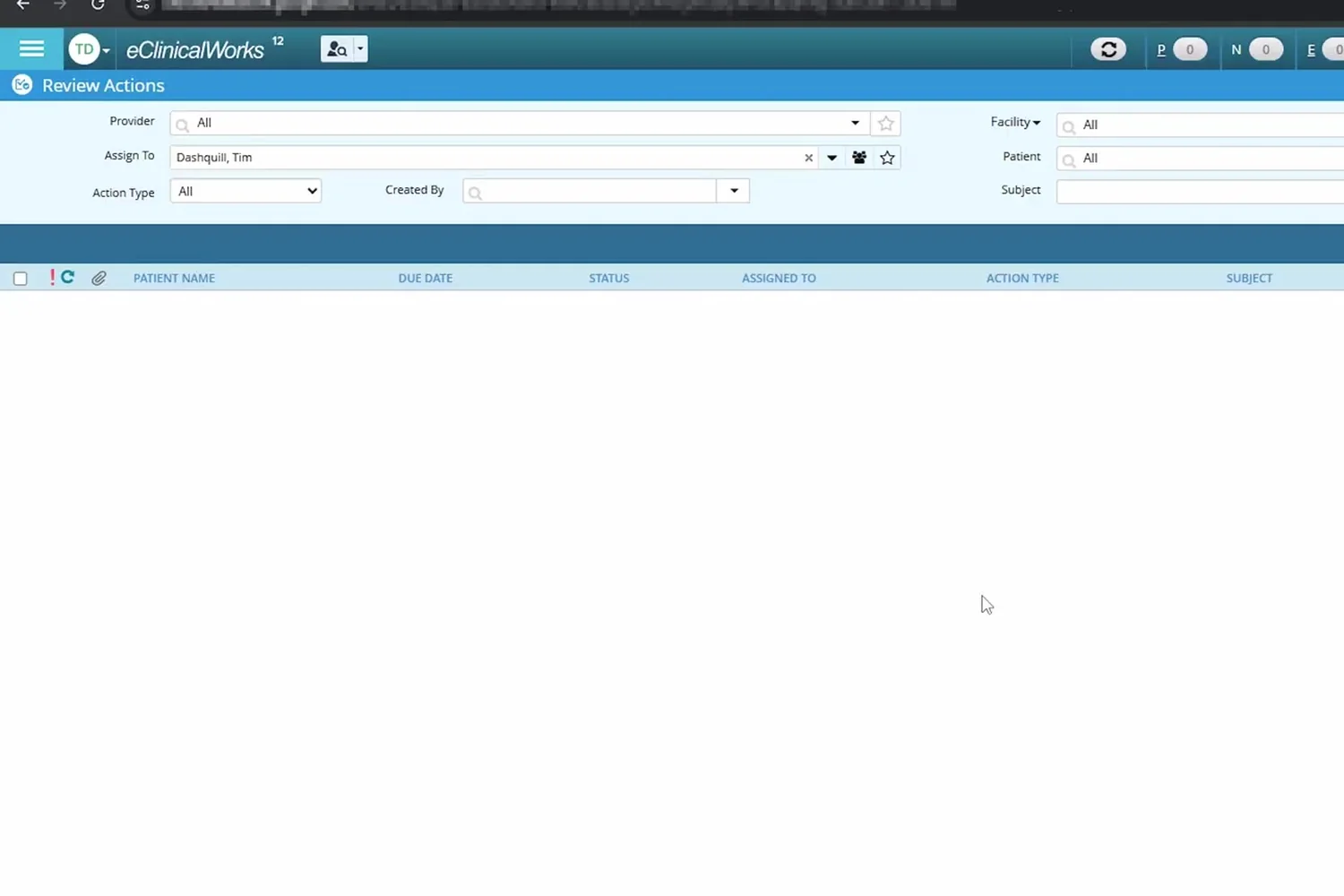
A Chrome extension adds a DashQuill button to the eClinicalWorks top bar. Click it and Forms, Faxes, Chats or Meet open over the page you already have open.
- One button in the eCW header, with an unread count
- Opens as a window you can resize, move and minimise
- Same eClinicalWorks login, no second tab or password
- Installed in minutes with a page reload; we walk you through it on a call
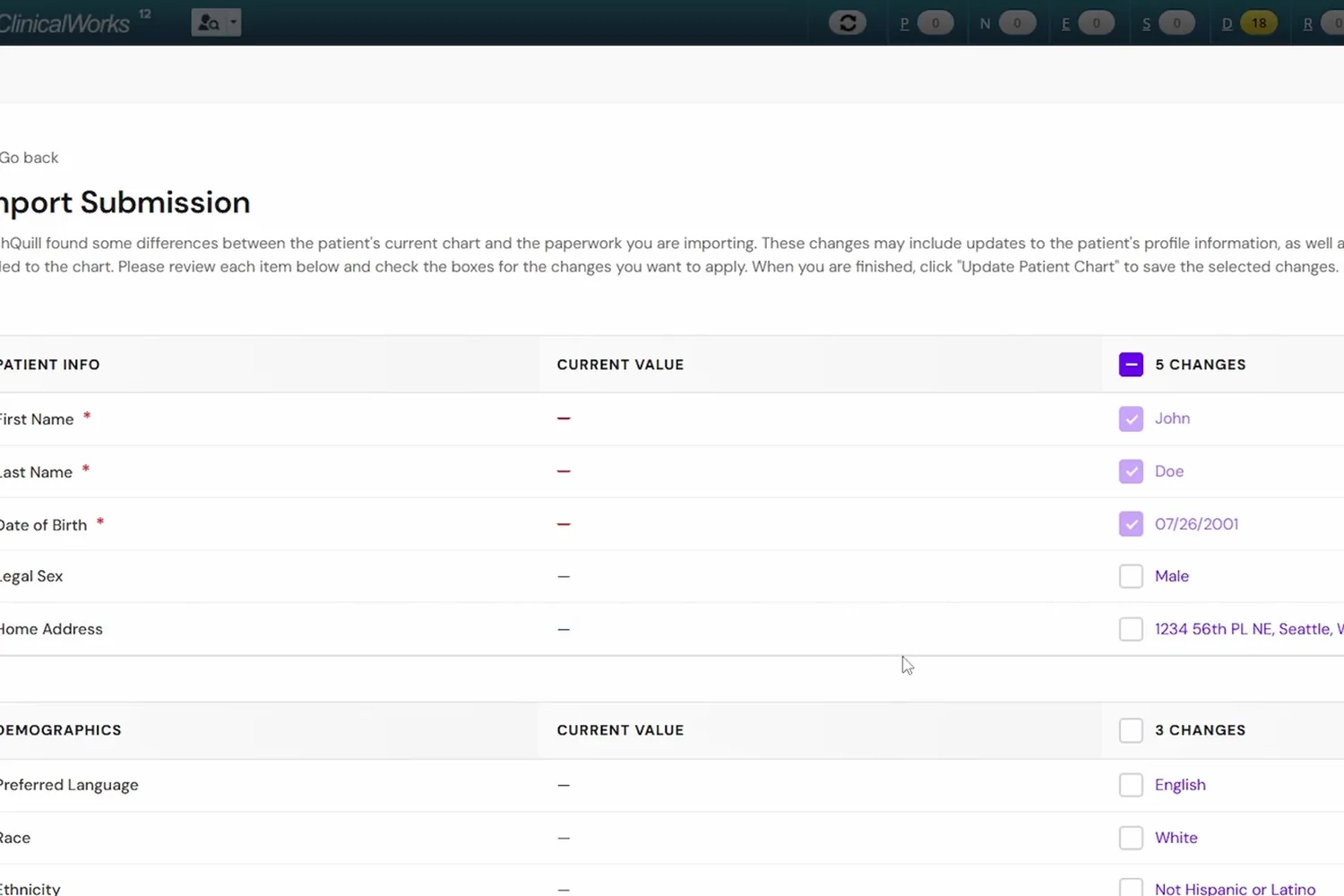
Pharmacy and insurance arrive as fields
These are the two things a front desk most often retypes, and both write into eClinicalWorks directly. The preferred pharmacy in particular saves a phone call later when a prescription needs to go somewhere.
- Preferred pharmacy is set on the eClinicalWorks chart
- Insurance details written as structured fields, not a scanned card
- Demographics and contact information auto-fill
- Emergency contacts added to the chart
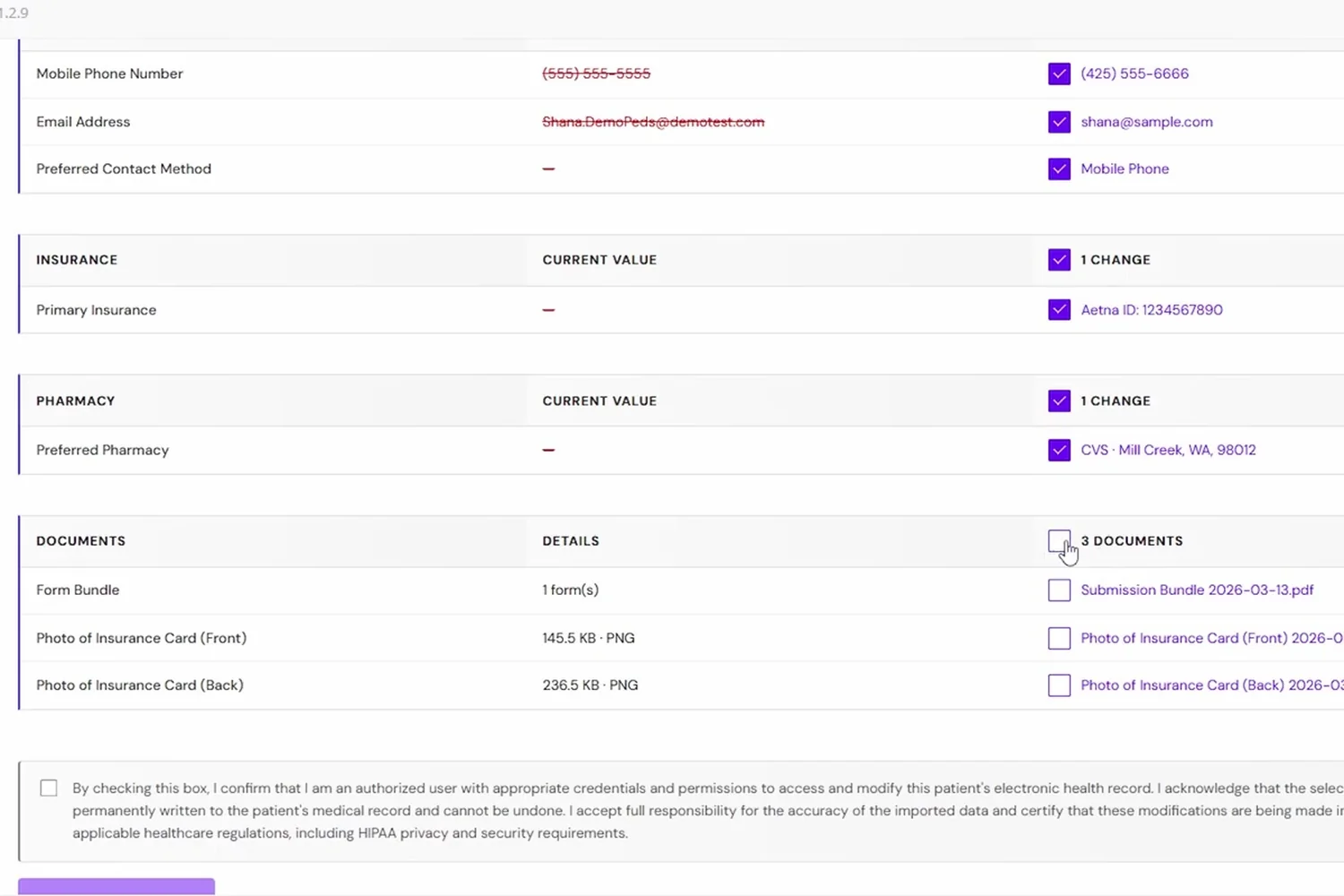
Documents that are actually findable later
An upload with no document type is a file nobody will locate in six months. DashQuill assigns the eClinicalWorks document type as it files, so the signed consent is stored as a consent.
- Correct eClinicalWorks document type assigned to each upload
- Completed and signed form filed to the chart
- Insurance cards and photo ID upload alongside it
- Supporting documents the patient attached come across too
Long packets without the drop-off
Specialty intake packets are where paper fails, because patients abandon them halfway. With conditional questions, somebody with no surgical history skips the surgical section entirely.
- Conditional sections keep the form as short as the patient's history allows
- Scored assessments such as PHQ-9 total automatically
- E-signature and file upload built into the form
- Your existing paperwork converted during onboarding, wording intact
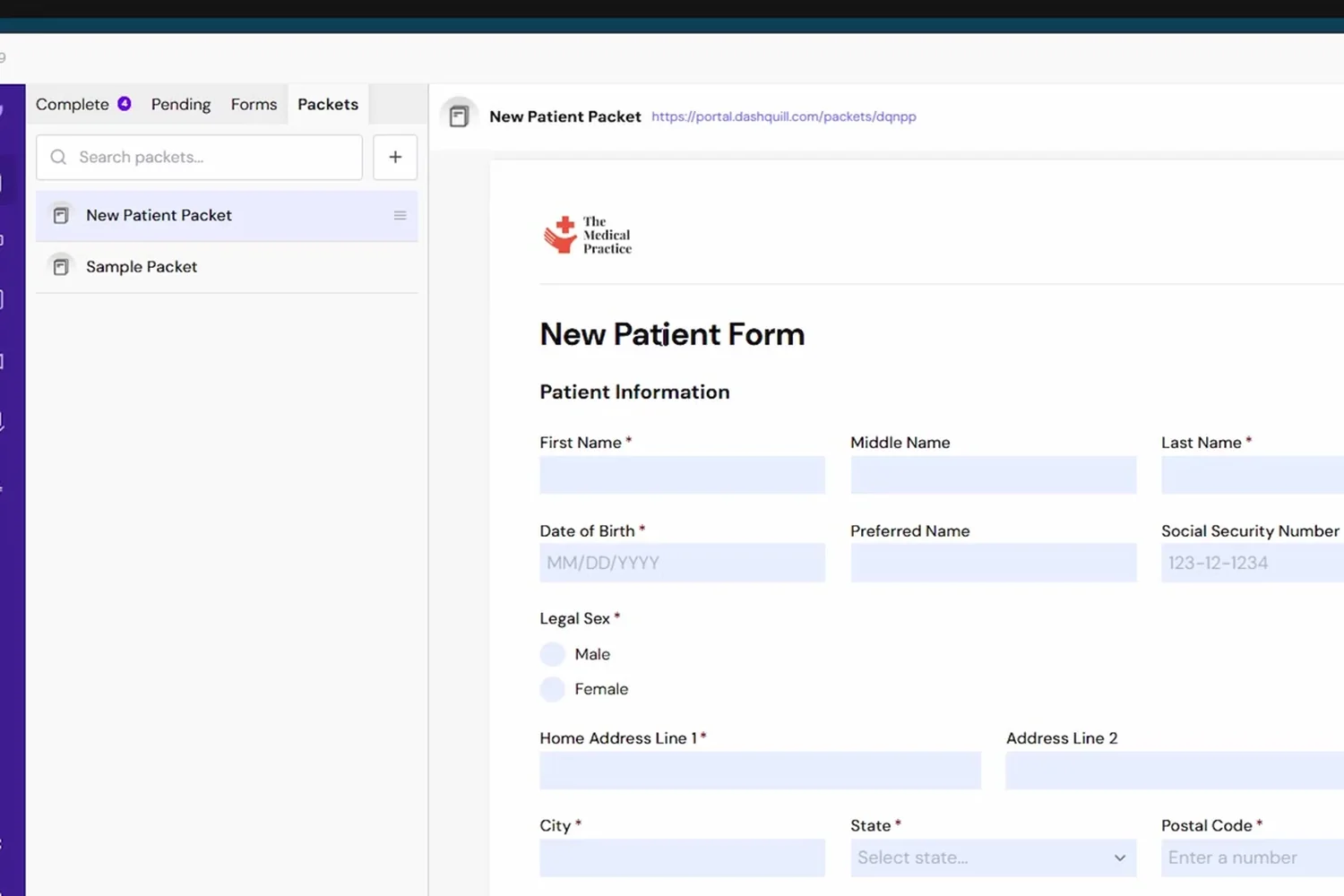
Patient forms in eClinicalWorks
What a submission writes into an eClinicalWorks chart, and the three clinical lists still being built.
| Number | Capability | Status |
|---|---|---|
| One-click import of submission data into the eClinicalWorks chart | Included | |
| Auto-fill demographics in eClinicalWorks | Included | |
| Auto-fill contact information in eClinicalWorks | Included | |
| Add emergency contacts to the eClinicalWorks chart | Included | |
| Add insurance details to the eClinicalWorks chart | Included | |
| Set the preferred pharmacy in eClinicalWorks | Included | |
| Upload the completed form to the eClinicalWorks chart | Included | |
| Upload insurance cards to the eClinicalWorks chart | Included | |
| Upload ID and driver's license photos to the eClinicalWorks chart | Included | |
| Attach supporting documents to the eClinicalWorks chart | Included | |
| Assign the correct eClinicalWorks document type to each upload | Included | |
| Import past medical history into eClinicalWorks | Coming soon | |
| Update medication lists in eClinicalWorks | Coming soon | |
| Update allergies in eClinicalWorks | Coming soon |
Questions we get asked first
The things eClinicalWorks practices want settled before a demo.
Does the preferred pharmacy write back?
Yes, on eClinicalWorks it does. It is still in development on AthenaHealth. Ask for it on the intake form, and it is set on the chart when staff import the submission.
Can a submission create a new eClinicalWorks patient?
No. The patient record has to exist before a form can be imported into it. Creating a patient from a submission is available on Practice Fusion only.
What makes this different from a web form we already have?
The difference is whether the submission updates the chart. A standard web form gives you a PDF or an email that someone retypes. Here the answers land in eClinicalWorks fields and the attachments file with a document type, so the remaining work is a review and a click.
Can we use our existing specialty intake packet?
Yes. Existing forms are converted during onboarding, with your wording and branding kept. The fields are mapped to eClinicalWorks at the same time. Conditional logic is usually added then, so patients skip sections that do not apply.
How do patients open the form?
From a text or email, a link in an appointment reminder, your website, a QR code, or a tablet at the front desk. All routes feed the same queue.
Is it HIPAA compliant?
Yes. PHI is encrypted in transit and at rest, access is restricted and logged, and we sign a Business Associate Agreement as part of onboarding. Our HIPAA compliance page has the specifics.

More on DashQuill and eClinicalWorks
See it in 15 minutes. No commitment.
A quick, no-pressure demo of DashQuill patient forms for eClinicalWorks. Ask anything, see how it fits your workflow, and walk away with a personalized quote.